Started 2026 · Active Swift 6 · SwiftUI · macOS
Press a hotkey, type a sentence, hit ⌘Enter. The line lands in the same plain text log that the CLI reads, with a timestamp and optional type and project tags. The window floats over whatever you were doing and disappears when you click away. Putting capture behind that hotkey increased my own logging roughly tenfold.
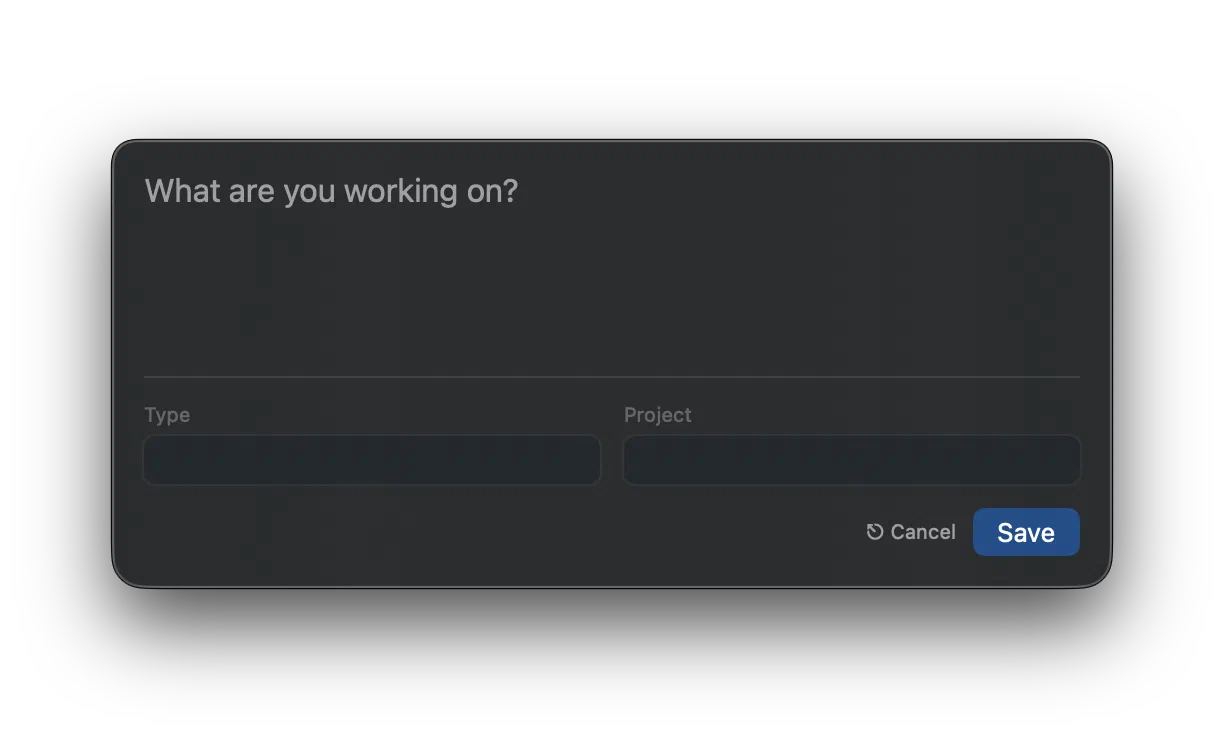
That’s the whole app, and it’s the reason I still log anything. The CLI is where I read the log back, but recording a thought there means leaving what I’m in the middle of, finding a terminal window, and waiting for a prompt, by which point I’ve usually lost the thought I was trying to write down. So almost all of my input has gone through a GUI for about a decade now.
Rewriting an Objective-C app in 2026
The original was an Objective-C menu bar app I built in 2014 and wrote up at the time in a five-part dev diary. This is a Swift 6 and SwiftUI rewrite, which is why the version numbers start at 2.0.
The old one never broke. I stopped touching that Objective-C code around the time the dev diaries wrapped up, and it kept working through every major macOS release since. It still runs today, on Tahoe, without a line changed. A decade of Apple not breaking my app is a better record than I had any right to expect.
That’s also what started to worry me. An app I reach for dozens of times a day was sitting on a codebase I hadn’t opened in a decade and wasn’t confident changing. Every macOS upgrade just worked, and every one of them was a coin flip I kept winning. So the rewrite wasn’t fixing something broken. It was buying a stack I can maintain, and some confidence for the year the coin finally lands the other way.
Twelve years apart, and the layout barely moved:
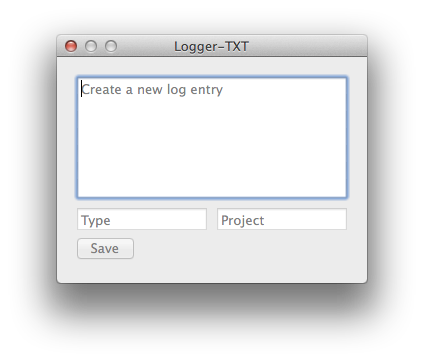
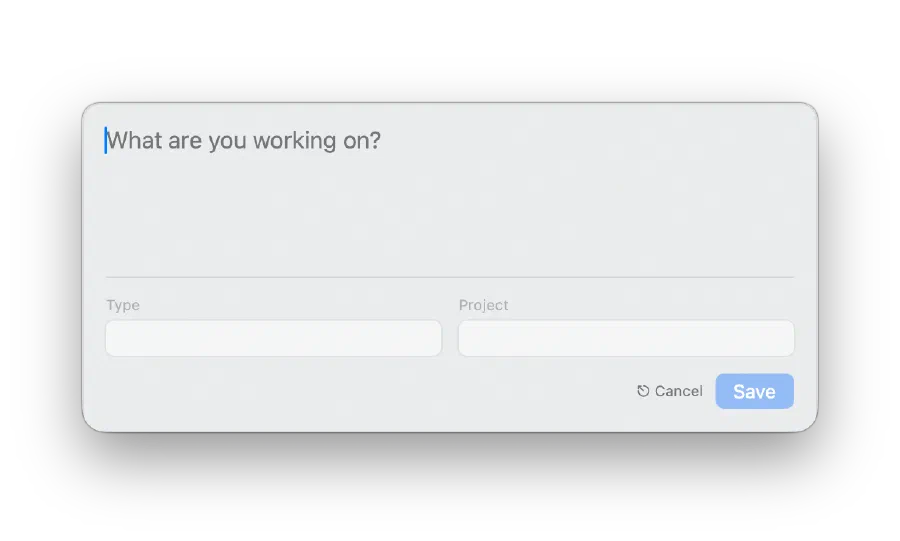
A message field, type and project below it, save at the bottom. I didn’t set out to reproduce it, and I only noticed the resemblance when I put the two screenshots next to each other. The form was settled by what the log line needs, which hasn’t changed, so there wasn’t much left to decide.
What changed is everything around it. The 2014 window had a title bar and took focus when it opened, and it couldn’t suggest a type or project until dev diary 5 added autocomplete. Undoing all of that is most of what the rewrite was for.
And it follows the system appearance, which in 2014 wasn’t a thing to follow. macOS didn’t ship a system-wide dark mode until Mojave in 2018, four years after that left-hand screenshot. The panel at the top of this page is the same window in dark mode.
The input half of the job
The division of labour hasn’t changed since 2014. This app writes to the log and the CLI reads it, and most of the design here follows from being on the writing side. A capture tool competes with not bothering, so the only question that matters is how little it costs to use.
That’s why the window has no title bar and doesn’t activate the app. Summoning it doesn’t push your editor behind anything, and dismissing it puts you back where you were with nothing rearranged. ⌘Enter saves and closes in one motion and Escape throws it away, so the whole interaction is a hotkey, a sentence, and a hotkey.
The app sits in the menu bar and the hotkey is global, so capture works from whatever has focus without going looking for a window first. The combination is configurable in Settings, so it can be one nothing else in your setup has already claimed. It launches at login on my machine, which means the hotkey is live from the first thing in the morning and I never think about starting it.
Autocomplete does more work than it looks like it does. The type and project
fields suggest from values already in your log, ordered by how recently you used
them, matched without caring about case, and written back uppercase. That sounds
cosmetic and isn’t. Those two fields are what every filter on the reading side
keys off, so a log carrying DEV, dev and Dev as three separate tags
quietly stops answering questions properly. I’ve never had to remember which
spelling I used, because the field offers me the one I already have.
That’s the part I’d underline. All the things the log turns out to be good for depend on every entry since 2009 staying consistent enough to filter, and consistency gets decided at the moment of capture, by a window that’s open for four seconds.
The format is a contract
The CLI is Go and this is Swift, and they share no code. What they share is a line format:
|
|
The repo treats that as a hard constraint rather than an implementation detail.
AGENTS.md flags it in capitals, there’s a real sample log kept as an executable
specification, and the parser and formatter are covered by round-trip tests. The
details that actually bit me were mundane: day-month-year ordering, and a space
before the timezone offset rather than jammed against the time.
Tests cover the core library and not the UI, which is a deliberate line rather than an oversight. Parsing, formatting, autocomplete matching and date handling are where correctness lives and where a mistake silently corrupts a log file that goes back to 2009.
Getting it
|
|
Requires macOS 14 or later. It isn’t code signed, so the first launch needs a right-click and Open to get past Gatekeeper. Paying Apple for the privilege of distributing a menu bar app to approximately one person has not yet cleared my internal cost-benefit bar.